
# Customizing Your Gaming Rig: The Impact of the ATX Cooler 104-0050-2’s LED Lighting
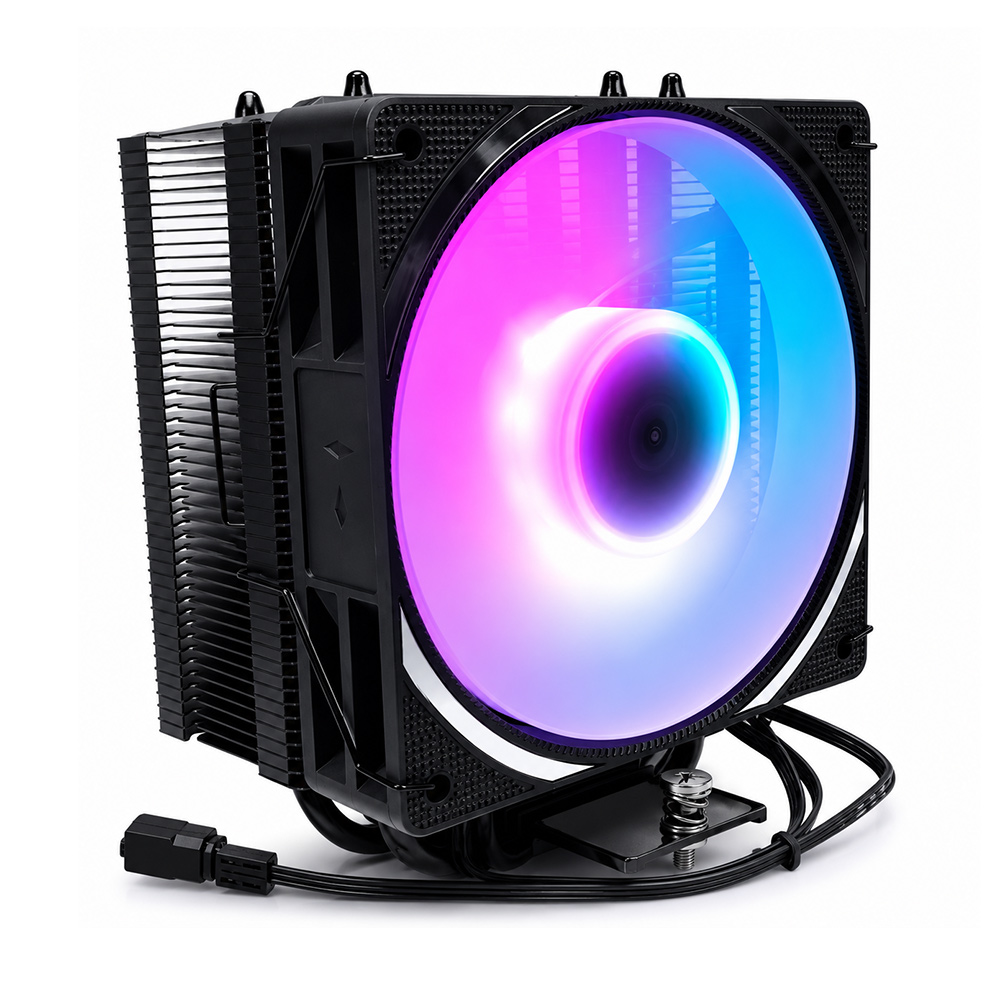
In the ever-evolving world of PC gaming, customization has taken a front seat. Gamers and PC enthusiasts alike seek not only high performance but also aesthetics that reflect their personality and style. One vital component that merges these two aspects—performance and visual appeal—is the cooling system. The **ATX Cooler 104-0050-2**, with its integrated LED lighting, has become a popular choice for those looking to elevate their gaming rigs beyond mere functionality.
In this article, we will delve into how the LED lighting feature of the ATX Cooler 104-0050-2 enhances your gaming setup, exploring both the technical and aesthetic impacts. We will also touch upon how this integrates with overall system design choices, including layout considerations like margin, padding, and container sizes that influence the final look and feel of your PC build.
---
## Understanding the Importance of Cooling in Gaming Rigs
Before diving into the specifics of LED lighting, it’s important to establish why cooling solutions are so critical in gaming PCs. High-performance CPUs and GPUs generate considerable heat, which if unmanaged, can throttle system performance and reduce hardware longevity. The ATX Cooler 104-0050-2 is designed to efficiently dissipate heat, ensuring stable operation even under intense gaming loads.
But modern coolers do more than just regulate temperature—they contribute to the visual identity of your rig. This is where LED lighting comes into play.
---
## LED Lighting: Beyond Visual Appeal
The integration of LED lighting on components like the ATX Cooler 104-0050-2 serves multiple purposes:
### 1. **Aesthetic Customization**
LEDs allow gamers to personalize the look of their rigs with vibrant colors and dynamic lighting effects. This turns a functional component into a centerpiece, especially in builds with transparent side panels or open-frame cases. The ability to customize colors and patterns means you can align the cooler’s lighting with your overall theme—whether it’s a sleek monochrome look or a vibrant RGB spectacle.
### 2. **Visual Feedback**
Some advanced LED systems provide real-time feedback related to system performance, such as changing colors to indicate temperature thresholds. While the ATX Cooler 104-0050-2 may not have this feature inherently, it can still be synchronized with motherboard software or external controllers to provide such insights, blending form and function.
### 3. **Enhanced User Experience**
A well-lit rig contributes to the immersive gaming experience. Ambient lighting can reduce eye strain during long sessions and create an engaging atmosphere that complements the game visuals.
---
## Technical Aspects of Integrating LED Lighting in Your Build
When incorporating the ATX Cooler 104-0050-2’s LED system into your gaming rig, several technical factors come into play:
### Margin, Padding, and Layout Considerations
In PC case terms, margin and padding translate loosely to spatial management within the chassis. Ensuring adequate clearance (margin) around the cooler improves airflow and visibility of the LED lighting, preventing the light from being obstructed by cables or other components.
Similarly, “padding” can be thought of as the additional space or cushioning used when mounting components to prevent vibration and noise, which could detract from the overall experience. Proper padding ensures the LED system is stable and that vibrations don’t interfere with wiring or lighting integrity.
### Box-Sizing and Component Fit
Much like in CSS where box-sizing controls element dimensions including padding and borders, in hardware design, the physical size of the cooler—including its LED housing—must fit seamlessly within the constraints of your motherboard and case. The ATX Cooler 104-0050-2’s design balances effective cooling and LED visibility without consuming excessive space, maintaining compatibility with standard ATX cases.
---
## Harmonizing Design Elements: Font-Family, Color, and Backgrounds Analogy
While styling a web page involves choices like font-family, background color (#f4f8ff), and text color (#111), building a gaming rig with LED components parallels this by involving choices that affect the "visual language" of your system.
- **Background Color (#f4f8ff):** Think of your PC case’s interior color or ambient lighting as the background. A lighter interior or LED backlighting can make the cooler’s LEDs pop more vividly.
- **Color (#111):** Darker components or case interiors create contrast that enhances LED visibility, much like dark text on a light background.
- **Font Smoothing and Text Rendering:** These ensure readability on screens; similarly, quality LED diffusers on the cooler’s lighting system ensure smooth, evenly distributed illumination rather than harsh points of light, providing a polished look.
---
## Utilizing the Page Wrapper and Container Concepts in Your Build
Just as web designers use page wrappers and containers (max-width: 1180px) to center and constrain content, PC builders must think about “wrapping” their components for optimal presentation.
- **Page Wrapper Equivalent:** Your PC case acts as the wrapper, containing all elements.
- **Container Max-Width Equivalent:** Deciding the maximum size of your cooler and LED assembly ensures compatibility with the case and motherboard, preventing overcrowding.
The ATX Cooler 104-0050-2 fits well within standard ATX cases, allowing room for other components while showcasing its LED lighting effectively.
---
## Designing Hero Sections and Flexbox Layouts: Inspiration from Web Design
Web design concepts like the hero section (prominent header area) and flexbox (flexible box layout with gap 16) inspire how we can arrange components inside the case:
- **Hero Section:** The cooler often takes ‘center stage’ in your build, akin to a website’s hero section. Positioning it front-and-center, especially with a transparent side panel and appealing LED lighting, draws immediate attention.
- **Flexbox and Gap 16:** This idea reflects the spacing between components. Proper spacing—akin to a 16-pixel gap—prevents overcrowding, improves airflow, and allows each element, including LED lights, to shine without interference.
---
## Practical Tips for Maximizing the Impact of the ATX Cooler 104-0050-2’s LED Lighting
To truly capitalize on the LED lighting capabilities of the ATX Cooler 104-0050-2, consider the following best practices:
### 1. **Case Selection**
Choose cases with tempered glass side panels or open-frame designs to showcase the cooler's lighting. Cases with neutral or dark interiors enhance LED contrast.
### 2. **Cable Management**
Neatly route cables away from the cooler to avoid blocking the LED illumination. Using cable sleeves or channels reduces clutter and improves light diffusion.
### 3. **Lighting Synchronization**
If your motherboard supports RGB control software, integrate the cooler’s LED with other system lighting for cohesive effects. This synchronization elevates the aesthetic from a single illuminated component to a harmonized light show.
### 4. **Ambient Lighting**
Supplement the cooler’s LEDs with additional ambient lighting strips or RGB fans to create depth and layered illumination within the case.
### 5. **Regular Maintenance**
Dust accumulation can dull LED brightness and affect cooling efficiency. Regular cleaning maintains both performance and visual appeal.
---
## Conclusion
Customizing your gaming rig goes beyond raw hardware specifications. The **ATX Cooler 104-0050-2’s LED lighting** offers a perfect blend of function and style, transforming your cooling solution into a visual centerpiece. By considering technical aspects analogous to web design principles—such as margin, padding, box-sizing, and container layouts—you can optimize both the performance and appearance of your build.
Whether you’re a competitive gamer seeking stable performance or a PC enthusiast aspiring to craft a showpiece, integrating the ATX Cooler 104-0050-2 with thoughtful LED customization can significantly elevate your setup. Embrace the interplay of cooling technology and lighting aesthetics, and let your gaming rig reflect your unique personality and passion.
---
*By understanding and applying these principles, you create not just a machine, but a masterpiece.*